
Best Wireless Wall Switch Timers for Easy Home Automation
The top wireless wall switch timers below are designed to simplify lighting control, energy savings, and remote operation. Each option suits different needs—from in-wall hardwired timers for single or multi-way setups to remote-controlled outlets for flexible placement. This guide helps you choose the right timer for common scenarios: energy-conscious households, seniors or mobility-impaired users, and homes that want simple, hub-free control. The summary table highlights key strengths and ideal buyers for quick comparison.
| Product | Best For |
|---|---|
| BN-LINK 7 Day Programmable In-Wall Digital Timer Switch (Blue Backlight) | Homes needing extensive scheduling with a backlit display for easy programming |
| BN-LINK 7 Day Programmable In-Wall Digital Timer Switch (No Backlight) | Calm, glare-free installations and budget-conscious setups |
| Remote Control Outlet With Timer (WILAWELS) | Assisted living and remote control without wiring |
| Zoiinet Remote Control Outlet (No Wiring, Buckle Design) | Flexible placement, simple plug-and-go timers |
| Smart Light Switch WiFi Wall Switch (Voice Control, No Hub) | Smart-home enthusiasts wanting WiFi and voice control |
Note: All products listed support on/off scheduling and can help deter intruders with occupancy simulations, while saving energy by automating lights and devices when you’re away or asleep.
BN-LINK 7 Day Timer With Blue Backlight

This timer offers 18 On/Off programs and a full 7-day schedule. Its blue backlight improves visibility in dim rooms and at night. It supports single-pole or 3-way configurations and handles up to 15A/1875W. Best for households needing detailed daily routines, such as turn-on routines for porch lights and fans. A built-in backup rechargeable battery preserves settings during outages. Caution: Ensure neutral wiring is available where required, and plan for DST mode adjustments in regions that observe daylight saving time.
BN-LINK 7 Day Timer with No Backlight (3-Way and DST)
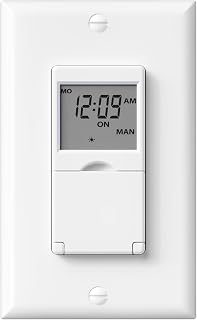
This variant provides the same 7-day scheduling with 18 On/Off programs but without a backlight. It’s suitable for low-glare environments and straightforward installations. Best for occupants who prefer a neutral display and budget-friendly options. Limitations include no backlight for visibility in dark spaces and similar DST functionality as the backlit model.
Remote Control Outlet With Timer (WILAWELS)

This indoor outlet timer supports remote control and programmable delays, including a 5–4 hour timer range for energy savings. It’s particularly helpful for elderly users or anyone needing hands-free control without rewiring. Best for lamps or small appliances that you want to switch remotely. Caution: Requires compatible outlet spacing; bulky adapters may block adjacent sockets.
Zoiinet Remote Control Outlet

This model provides a no-wiring, buckle-design remote control solution with programmable timing and a simple installation. Best for quick setup where plugging into outlets is sufficient. Choose this if you want flexibility in outlet placement and do not require wall wiring changes. Limitation: Range and reliability may vary with obstacles and line-of-sight requirements.
Smart WiFi Light Switch With Voice Control
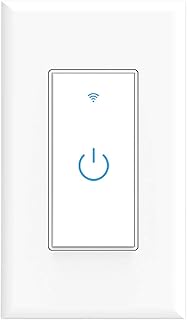
Best for tech-forward homes seeking voice control and remote management via WiFi. It integrates with assistants and offers scheduling alongside manual control. Best for users who want to control lighting with apps or voice commands. Caution: Requires a stable WiFi connection and may need ongoing network access for full features.
Buying Guide
Key purchase considerations help you pick the right wireless wall timer:
- Wiring and compatibility: Check if a neutral wire is required and whether the timer supports single-pole or 3-way circuits.
- Display and interface: Backlit displays improve visibility in dark rooms; consider backlight preferences and programming ease.
- Scheduling depth: Decide between 7-day scheduling with numerous on/off programs or simpler daily routines.
- Remote control vs. in-wall: Wired timers provide in-wall automation; remote outlets offer placement flexibility without wiring.
- Power outage behavior: Look for built-in backup or battery preservation to retain settings during outages.
- Smart features: If you want voice control or WiFi, choose a model compatible with your ecosystem (Alexa/Google).
FAQ
- What is the difference between a backlit timer and a non-backlit timer? A backlit timer is easier to program in dim lighting, while a non-backlit unit avoids glare and is typically cheaper.
- Do these timers require a neutral wire? Some do; check the product description to confirm neutral wiring requirements for your circuit.
- Can these timers control multiple loads? Many support single-pole or 3-way configurations; confirm the model’s load compatibility and number of supported loads.
- Can I use these timers to deter intruders? Yes, scheduling or random modes can simulate occupancy while you’re away.
- Do these timers work with smart-home assistants? Some models offer voice control via WiFi; others are standalone in-wall timers without network features.